Custom Fields
Custom Fields Overview
Custom fields are one of the great features of the logistics system. With this feature, you can create your fields for the various entities (sections) of the logistic system, such as vehicles, drivers, issues, expense entries and many more.
List Custom Fields
All the Custom Fields are listed on the Custom Fields page. Simply click on Settings -> Custom Fields
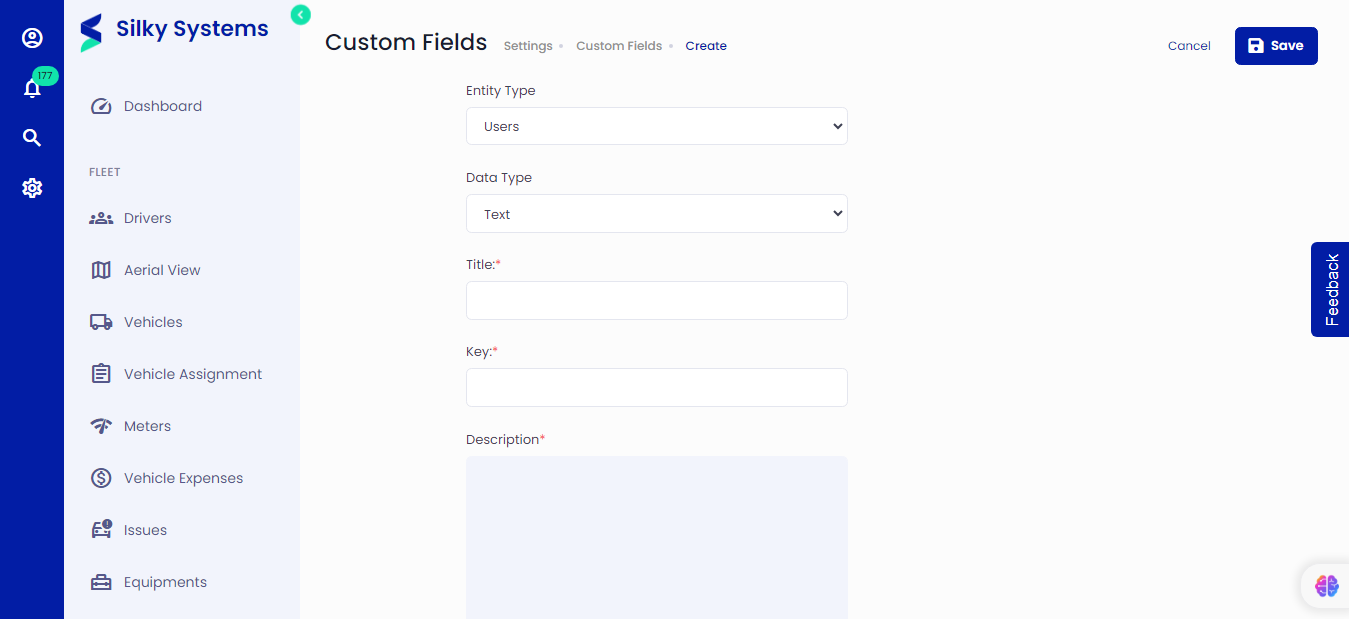 Figure.01 Custom Fields
Create Custom Fields
Figure.02 Create Custom Fields
To create a new Custom Field, click on Settings -> Custom Fields -> Add New. Select the entity type and data type of the field, give a title and key and write a meaningful description which describes the custom field.